Free Hasmi Indian Wedding Invitation Flyer Template PSD Download

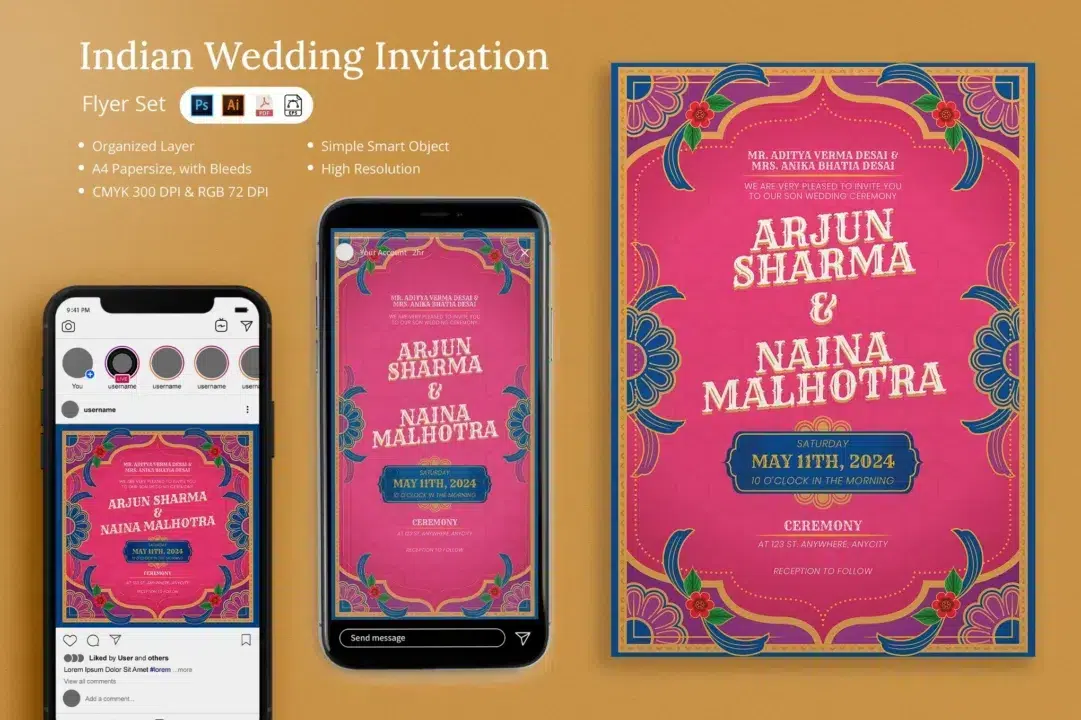

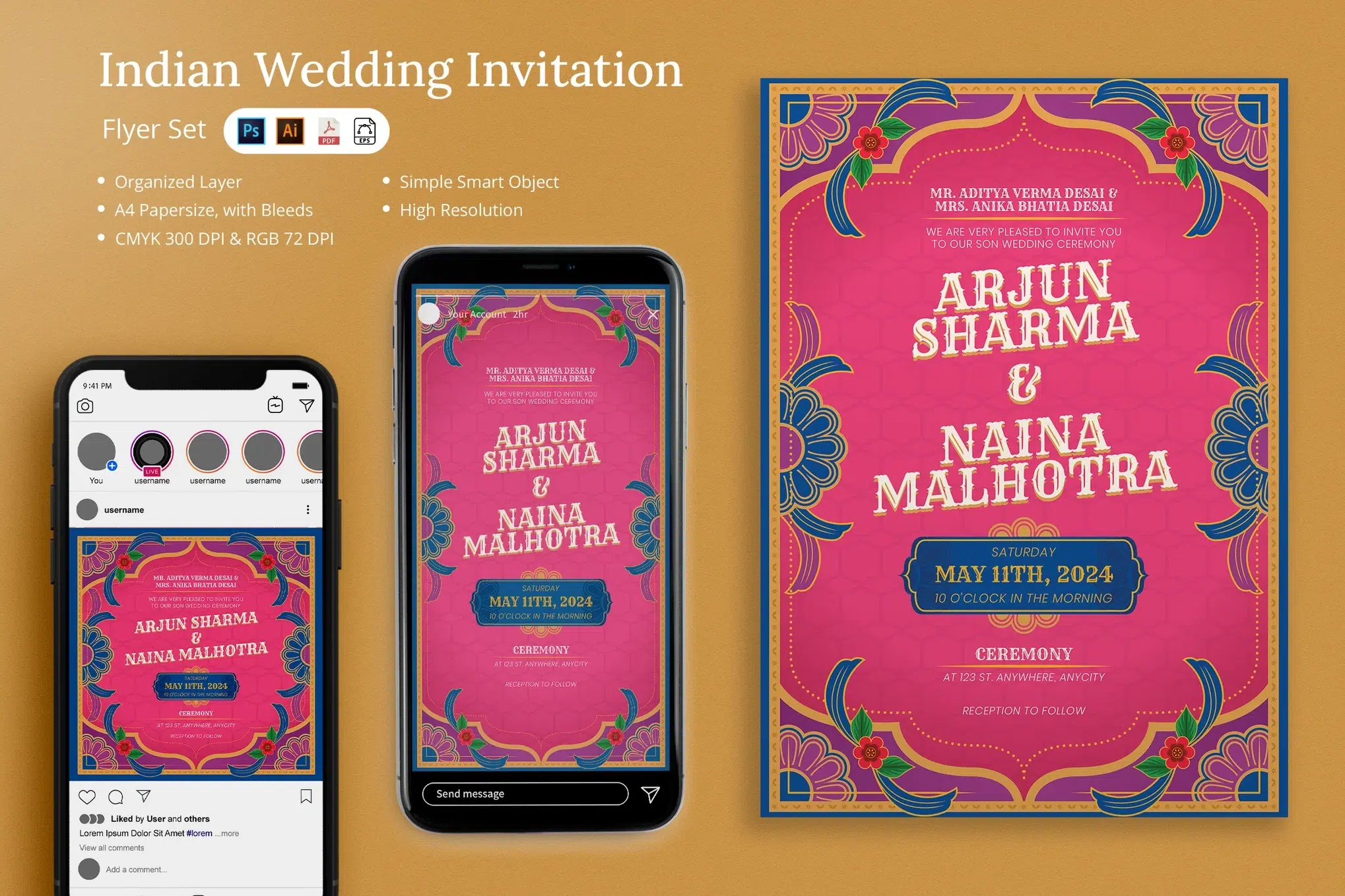
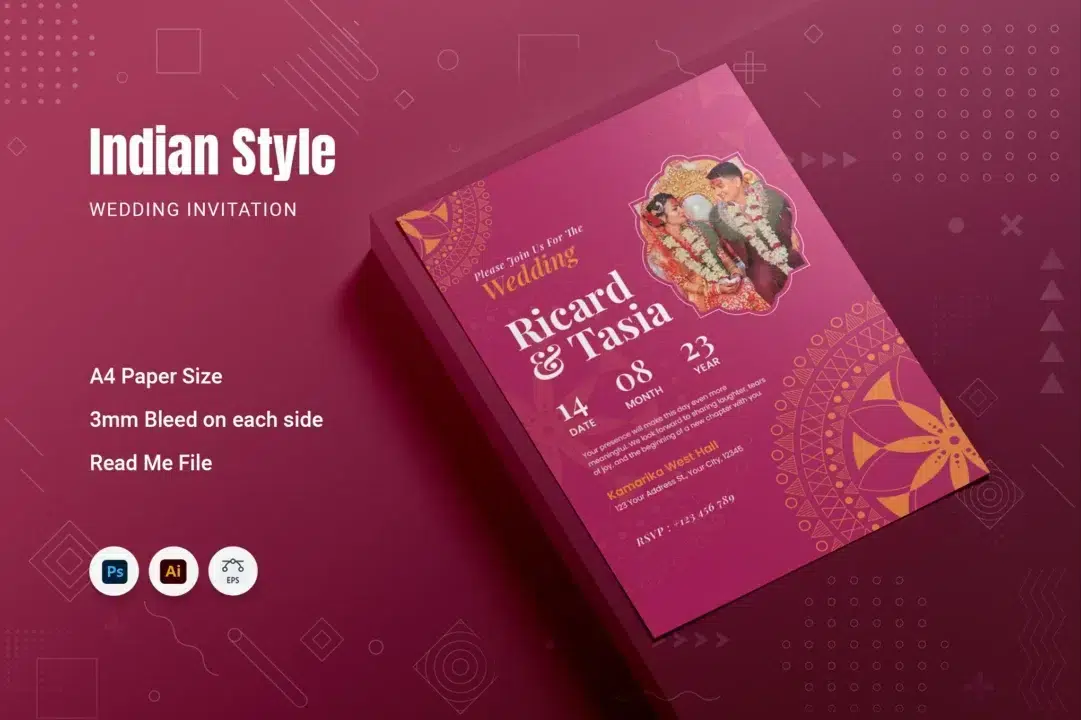
Namaste and welcome! 😊 I hope you’re doing well and maybe even humming a happy tune today. Let’s set a scene – imagine this: you’re holding a beautiful Indian wedding invitation card in your hand. The paper feels luxe between your fingers, a soft texture with a hint of weight. You notice the design first: a deep, rich color base (think elegant maroon or royal ruby) with delicate gold floral patterns dancing near the edges.
In the center, two names – the bride and groom – in a graceful, elegant serif font that immediately gives you all the feels. Maybe it’s Arjun & Naina, or Ayesha & Sameer – whatever the names, they look like they belong in a fairytale, framed by intricate mandala motifs that seem to bless the couple in a circle of art. As you tilt the card, the gold mandala and floral border catch the light, almost glowing. It’s the kind of invitation that makes your heart do a little “aww” – because it’s not just paper and ink, it’s the beginning of someone’s happily ever after. ❤️
Sounds dreamy, right? That’s exactly the vibe I felt when I first saw the Hasmi Indian Wedding Invitation Flyer Template. It gave me goosebumps – the good kind! Honestly, dil se kahun, mujhe yeh design dekhte hi pyaar ho gaya (truthfully, I fell in love with this design at first sight). And the best part? I’m Roshan from Piximfix, and today I’m sharing this very design with you for FREE – yup, the full editable Photoshop template (PSD) is yours to download and make your own. 🙌 Consider it my little gift to help make your wedding (or your client’s wedding) just a bit more special without breaking the bank.
Before we dive into the details and editing tips, let’s get you set up. Before You Start, make sure of these things:
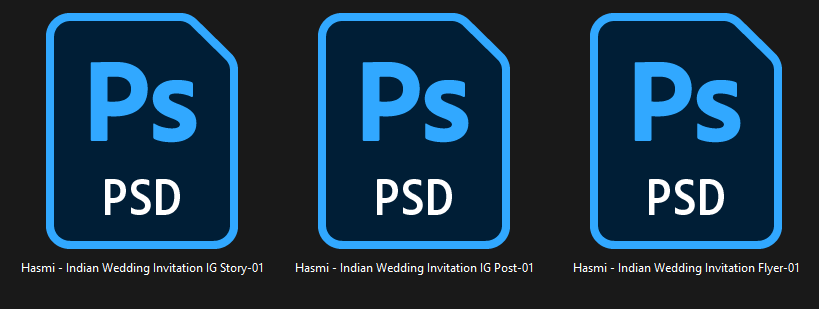
- Adobe Photoshop is ready: This template is a PSD file, so you’ll need Photoshop to edit (any version CS4 or newer will do). Fire it up!
- Download & unzip the template: Click the download button (you’ll find it below) and extract the
.zipfile. Inside, you’ll have the Hasmi invitation PSD waiting for you.

- Install the fonts: The design uses free fonts (no paid fonts, yay!), and I’ve included a little font-info text file listing them. Make sure to install those fonts before opening the PSD so that everything looks as intended. (They’re free to download – links/info provided in the file). This way, you won’t see any weird missing font issues.
Alright – all set? ✅ Photoshop open, file downloaded, fonts installed… chalo, let’s go! (chalo = “let’s go” in Hindi 😉).
Now, about the design itself: The Hasmi invitation template is honestly one of my favorites because it blends traditional Indian elegance with modern simplicity so well. At first glance, it showcases a rich background – the default is a kind of deep maroon-ish red (which, by the way, you can change to any color you fancy, super easily). Why red? Because in so many Indian weddings, red is the color of love, auspiciousness, and new beginnings.
It’s the color of the bride’s lehenga in many Hindu weddings, and it just instantly says “wedding” when you see it. Paired with golden accents (the lovely floral border and the mandala art), it gives a royal vibe – gold symbolizes prosperity and joy. So right there, in the colors alone, the card is sending a heartfelt message: love and prosperity for the couple. (And hey, if red-gold isn’t your jam, you can absolutely make it your own – maybe a regal deep blue background with silver details for a modern touch, or pastel peach and gold for a daytime wedding – the PSD lets you recolor easily, no fuss.)
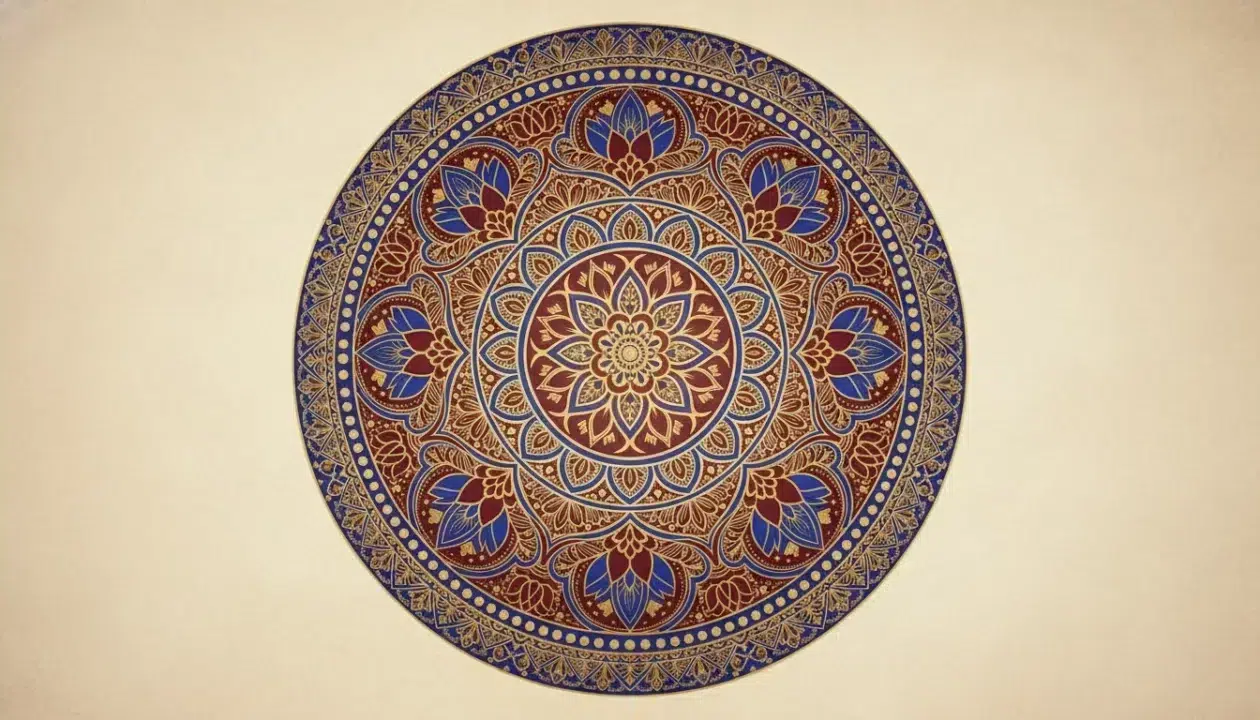
Speaking of motifs, Hasmi’s design features an intricate mandala motif as a key element. If you’re not familiar, a mandala is a circular geometric pattern that holds deep meaning in Indian cultures – it represents wholeness, unity, and the universe. Kinda perfect for a wedding, right? It’s like saying “two souls are becoming one circle of life”.
In this template, the mandala art sits elegantly, possibly as a background element behind the names or at the top/bottom, adding that spiritual anchoring to the design. Alongside the mandala, there are gold floral patterns – think tiny lotus or paisley swirls – lining the borders or corners of the card. They’re not too heavy or cluttered; just the right touch to frame the content.
I love this, because it gives the card a floral, festive charm – almost like the marigold garlands you see in Indian weddings, but translated into art on paper. And everything is placed with such balance! The layout has a clear hierarchy: big names in the center, supporting details around, all symmetrical and pleasing. Even with all the artistic detail, the invite doesn’t feel overwhelming. It feels inviting (ha, an inviting invitation!). You have space to breathe as you read it, which is so important. No one wants an overcrowded card where you can’t find the date or venue info in a sea of patterns. Here, legibility meets artistry.
Now, a bit about cultural versatility – one thing I really appreciate about this Hasmi template is that it’s not limited to one type of wedding or religion. Sure, it has mandalas and florals which are common in Hindu and Jain weddings, but guess what? Those motifs are pretty universal in Indian celebrations. For a Muslim nikah ceremony, for example, you often see elegant floral designs and maybe geometric patterns – this template would fit right in (you could even add a subtle motif like a mosque silhouette or Bismillah calligraphy at the top if you wanted, since the PSD is editable).
For a Sikh or Punjabi wedding, the vibrant colors and joyous motifs here would complement the energetic spirit perfectly (maybe add the Ik Onkar symbol subtly if needed). Even for a cross-cultural or Christian Indian wedding, the design’s romantic-yet-classic look works; you could tone down the mandala a bit and emphasize the florals – voila!
My point is, Hasmi is suitable for anyone – it’s essentially an Indian wedding flyer template that’s ready to adapt to your story, whatever your culture or style. It’s traditional enough for the elders to nod in approval (“हां, बहुत सुंदर है” – “Yes, it’s very beautiful,” they’ll say), yet modern enough for the younger folks to go “Wow, where’d you get that?!” 😁.
Let’s talk fonts and text for a sec (the unsung heroes of any invitation). The template uses an elegant serif font for the couple’s names – you know, the kind that has little classy strokes and feels like a timeless novel header. I personally adore this choice because a wedding invite should have a touch of formality and romance, and a serif typeface gives you that old-school love story vibe.
Then, for the details (dates, venue, RSVP info), it pairs that with a clean, easy-to-read font (likely a sans-serif). This is key: your names get to shine in style, but all the important info is crystal clear at a glance. Nothing is worse than an invite where you can’t read the address or the date because of a curly-whirly font. Here, Hasmi strikes a perfect balance – decorative yet functional. And since only free fonts are used in this template, you don’t have to go hunting or purchase any special typefaces. Everything needed is either included or linked for free download. Trust me, I got you covered on that front.
Now, I know some of you reading this might be designers, and some might be brides/grooms or family members who just want to DIY a lovely card. Let me assure you, editing this PSD is a breeze – even if you’re not a Photoshop pro. The file is well-organized in layers, which basically means every element (text, colors, graphics) sits on its own labeled layer. As soon as you open the file, check the Layers panel on the right; you’ll see groups named things like “Background”, “Mandala Art”, “Names Text”, “Details Text”, etc. The creators have been kind to organize it logically (bless them!).
Here’s a simple editing flow I recommend:

- Replace the Photo (if any): Does the template have a photo placeholder? Many wedding invites now include a cute couple photo or a small picture of say, Lord Ganesha or other cultural symbols. In the Hasmi template, there might be a spot for an image (since the description mentioned it’s easy to change photo). If you see a layer marked “Photo” or an obvious picture layer – double-click it. This will open the Smart Object (a fancy way to swap in your own image). Now paste your own photo (perhaps your engagement pic, or any image you want there) in that new window, save it (Ctrl+S or Cmd+S), and close it. Boom – your photo will appear in the invite, perfectly scaled and framed! Magic, right? ✨

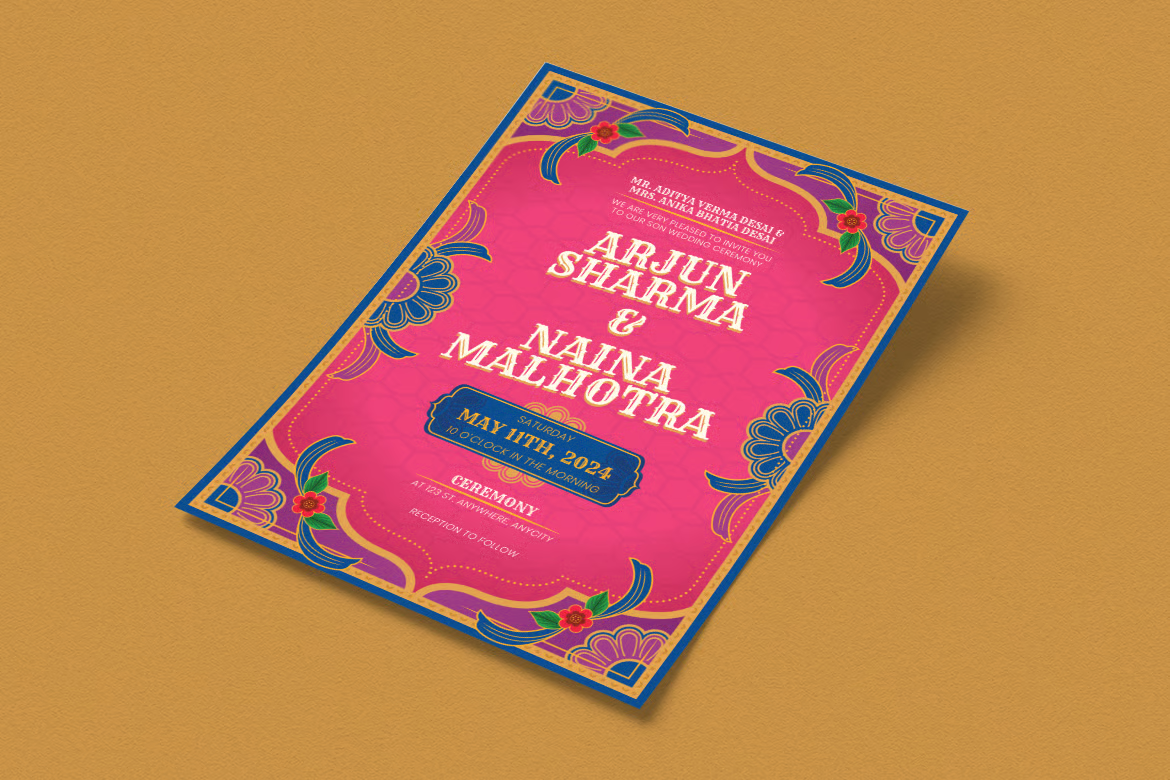
- Edit the Text: Click on the Text Tool (press T as a shortcut) and then click on any text you want to change. Start with the names – highlight “Arjun Sharma & Naina Malhotra” (the placeholder names in the template) and type your names. Don’t worry about the size or alignment; the template’s style will keep it looking nice. If your names are longer or shorter, you can adjust the font size a bit or reposition – but usually it’ll fit nicely. Next, change the date, time, venue details, parents’ names – whatever text is on the card. Each piece of text likely has its own layer. Just edit them one by one. Tip: If the text is all caps or a mix of caps/small, match that style for consistency. And mind the line breaks – keep them similar to how the template had, for the best look.

- Adjust Colors (Optional): If you love the default color scheme (rich red and gold), you might not need to touch this. But if you do want to experiment, it’s easy. For background, find the “Background” layer (could be a solid color fill or an image layer). If it’s a color fill layer, just double-click the color thumbnail and choose a new color. If it’s an image, you can add an adjustment layer on top (like Hue/Saturation) to shift the hue to something else. The gold elements (borders, mandala) can also be recolored – but honestly, I’d leave them gold because that contrast is what makes the design pop. Still, creative freedom is yours! Maybe you want a silver look – go for it. Just select those layers (they might even be vector shapes or smart objects) and change their color overlay or layer style. It’s all non-destructive, meaning you can undo anything.
- Fonts & Typographic Tweaks: Since we installed the fonts earlier, you’re seeing the exact intended typography. But say you feel like using a different font (perhaps you have a specific one in mind that matches your wedding theme) – you can absolutely swap it. Just select the text and pick a different font. Just be mindful: changing the font might affect spacing or design, so do it only if you’re comfortable making a few layout adjustments. The template’s fonts were chosen to work well together, so you’re already in good hands if you stick to them.
By this point, you’ve basically personalized the entire invitation. 🥳 Not too bad, right? If at any point you get a bit lost, take a deep breath. Remember, the original layered file is untouched – you can always re-download or revert layers if something goes very wrong. But I have faith you’ll manage just fine.

Let me share a small sensory snippet: as I was editing this template myself (to test it out before giving it to you), I played a bit of Arijit Singh in the background (because what’s an Indian wedding vibe without some romantic Bollywood music, haha!). And I kid you not, I got a little emotional envisioning how someone will use this invite.
I imagined a bride-to-be, late at night, finalizing the card design with her best friend, giggling over the phrasing of “Dulha/Dulhan” (groom/bride) titles. I pictured a proud father printing these invites out, carefully placing them in envelopes with a trembling hand because his little girl is getting married. I could smell the fresh ink and the subtle fragrance of the cardstock. This design has that effect – it sort of transports you to the mehndi night or the sangeet mood even while you’re still planning. It’s not just an invite; it’s a feeling. ✨
Technically speaking – to ensure top quality – the Hasmi flyer template is set up at A4 size, 8.27 x 11.69 inches, with bleed for printing. That’s basically standard flyer/invitation size, and the bleed means you can have color go to the edge of the paper without white borders when cut (printers will know how to use that, you don’t have to do anything extra). The file is in CMYK color mode at 300 DPI for the flyer, which is exactly what you need for crisp printing results – all your text and graphics will print sharp and clear, even the fine mandala lines. (300 DPI and CMYK are print standards just avoid converting it to RGB if you’re printing).
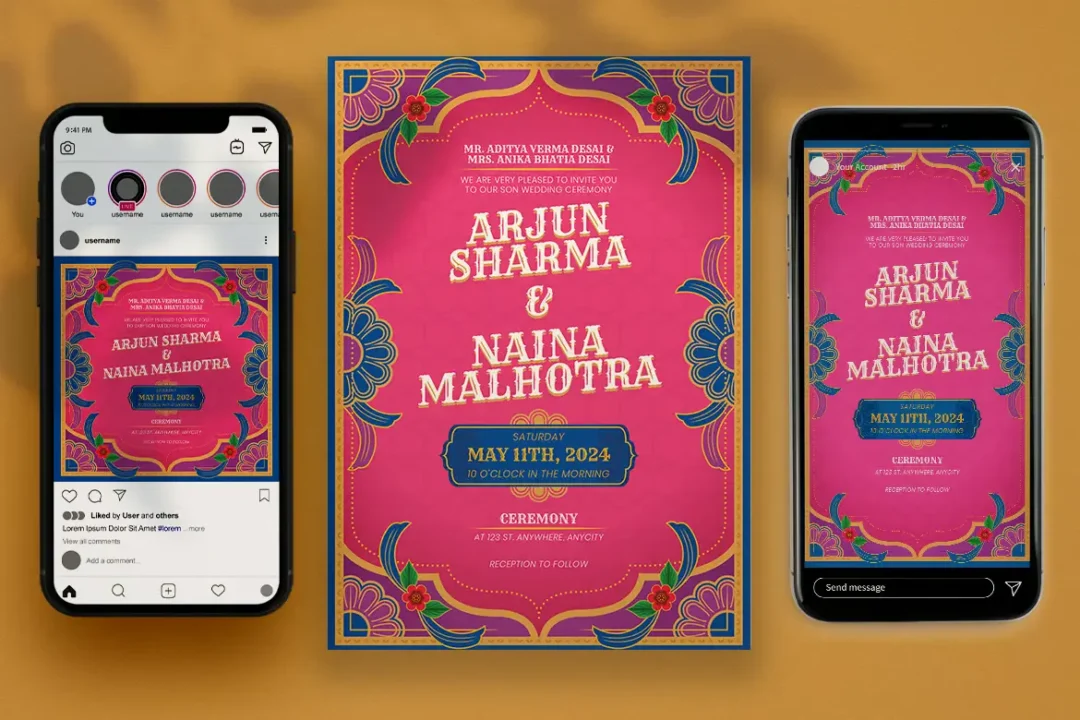
Now, interestingly, the full Hasmi set also came with Instagram post and story sizes in RGB at 72 DPI – meaning the designer thought of matching social media graphics too! How cool is that? If you’re interested in those, let me know – but the main PSD we’re talking about is the print invite. I will say though: once you’ve designed the invite, it’s super easy to make a digital version. You can simply export a JPEG in high quality (Photoshop > File > Export > Save for Web or Quick Export as JPEG). That JPEG you can share via WhatsApp, email, or post on Facebook to invite your friends in a pinch.
I do this all the time with invitations now – print some for close family (because physical cards have that old-school charm), and e-invite the rest to save time. This template’s style is so eye-catching that it works both in hand and on screen. On a phone screen, those colors and contrast will make the info easily readable even as a WhatsApp image. And for printing, like I said, it’s print-ready out of the box.
Also, compatibility won’t be an issue – since it’s a pretty straightforward PSD, you can open it in Photoshop CS4, CS5, CS6, or any CC version. If by chance you prefer other software: the original set had an Illustrator version and even an EPS/PDF, but I assume most of us will use Photoshop for ease. In case you don’t have Photoshop, you could try uploading the PSD to Photopea (an online editor) – it’s not as powerful but might handle basic edits. However, for best results, stick with Adobe if possible.
Now, a quick check on who this template is ideal for (basically, is it for you?): If you’re designing an invitation for your own wedding or a family member’s wedding and you want something classy but don’t want to hire a professional designer – Hasmi is perfect. It’s already professionally designed, so you get that high-end look, and you just plug in your details.
If you’re a freelance graphic designer or a wedding planner, this free PSD can be a lifesaver when you have clients or events with tight budgets or timelines. You can customize it in minutes and present a gorgeous invite to your client – and you didn’t have to build it from scratch (I won’t tell if you won’t 😉).
If you’re just someone who loves collecting pretty templates or might have a use for it in the future (maybe for a friend’s wedding?), feel free to download and keep it in your arsenal. It’s free, so why not? I often keep a folder of nice invitation designs for that last-minute “Hey, can you help design XYZ?” request from friends. This one is a gem to have on file.
Okay, let’s do a brief recap of what you’re getting and some tech specs, in case you’re skimming (I know, I do that too with long blog posts!):
- Format: Adobe Photoshop (PSD) file, fully editable.
- Dimensions: A4 – 8.27 x 11.69 inches (it’s basically designed for A4 size, which is common for wedding flyers/cards). Bleed is included for safe printing edges.
- Resolution & Color: 300 DPI, CMYK color – print-ready high resolution. Also easily convertible to digital (just save as JPEG/PNG in RGB for online use).
- Design Elements: Features traditional Indian motifs – a detailed mandala, gold floral border designs, elegant typography. Colors by default are rich red and gold, but all colors can be changed easily to suit your theme.
- Layers & Editing: All elements are on separate, organized layers. Smart Objects used for any images (so you can drop in your own photos). Groups and layers are named clearly (so you’ll find “Text” layers, etc., without headache).
- Fonts: Only free fonts used (no additional purchase needed). Font info is provided, and you should install them for the best look. You can also swap fonts if you want.
- Uses: Perfect for printing physical invites (card, flyer, etc.), and equally perfect for e-invites or sharing on social media/WhatsApp. You can even use the design to create accompanying items like save-the-date cards, program covers, etc., by resizing or rearranging elements – get creative!
- Compatibility: Works in Adobe Photoshop CS4 and above (including the latest CC). If you prefer Illustrator, the original has an .ai file too, but stick to PSD unless you’re an Illustrator pro.
I also want to share a personal tidbit: as a designer and someone who’s seen many family weddings, I really cherish the emotion that a well-crafted wedding card brings. When I showed a printed sample of this Hasmi invitation to my mom (as a test), her eyes literally lit up. She said it reminded her of the cards from “her days” but with a modern touch.
That made me smile because it confirmed that this template hit that sweet spot of timeless and contemporary. I’m a softie at heart – I get nostalgic about these things – and I’m genuinely so happy to be able to share this with you. I poured some of that sentiment into the design choice, and I hope you’ll pour your love into customizing it. 💖
Alright! Now onto the exciting part – how to get your hands on this free template.
Download the Hasmi Indian Wedding Invitation Template (PSD) by clicking the button below. It’s a direct download, no hoops to jump through:
(If for some reason the button doesn’t work, you can right-click and “Save As” on that link.)
Go ahead and grab it! The download is safe and secure – I’ve ensured it’s hosted on a reliable platform and checked for viruses. No sneaky stuff, promise. ✅ It’s literally just the design files and a help note. We don’t even ask for your email for this freebie (though you’re welcome to subscribe to Piximfix if you love goodies like this 😉). Once downloaded, unzip the file, open Hasmi_Wedding_Invite.psd in Photoshop, and you’re on your way to creating your very own wedding invitation card.
One small request: if you do use this template and find it helpful, I’d love to hear about it! 💌 Feel free to leave a comment below with a link to your finished card design or even just a note about your experience. It would make my day knowing that something I shared became part of your special occasion. And if you run into any questions while editing, drop them in the comments too – I’m here to help as much as I can.
Before I sign off, I just want to say congratulations (शादी मुबारक) if you’re the one getting married or helping with a wedding. It’s such a beautiful journey, full of little moments like designing your invite at midnight with a cup of chai by your side. I’m honored that you’re considering using this template for that big day. 😊
Thank you for reading this long post – you’re a champ for sticking with me till the end! I hope you enjoy using the Hasmi template as much as I enjoyed writing about it. Here’s to creating something beautiful together.
Until next time, happy designing, and lots of love from me and the Piximfix family! ❤️
– Roshan